The POS Free Product Reward allows you to reward customers with free products directly through the Shopify POS. When a customer earns enough stamps to qualify, your staff can easily apply the free product during checkout using the Appy Stamp POS tile.
This reward type makes it simple to incentivise in-store purchases and enhance the customer experience.
How Does It Work?
-
When a customer qualifies for a free product reward, the staff member can open the Appy Stamp POS tile during checkout.
-
If the reward is linked to a product collection or a list of products, the staff can select the reward in the available rewards section from within the Appy tile.
-
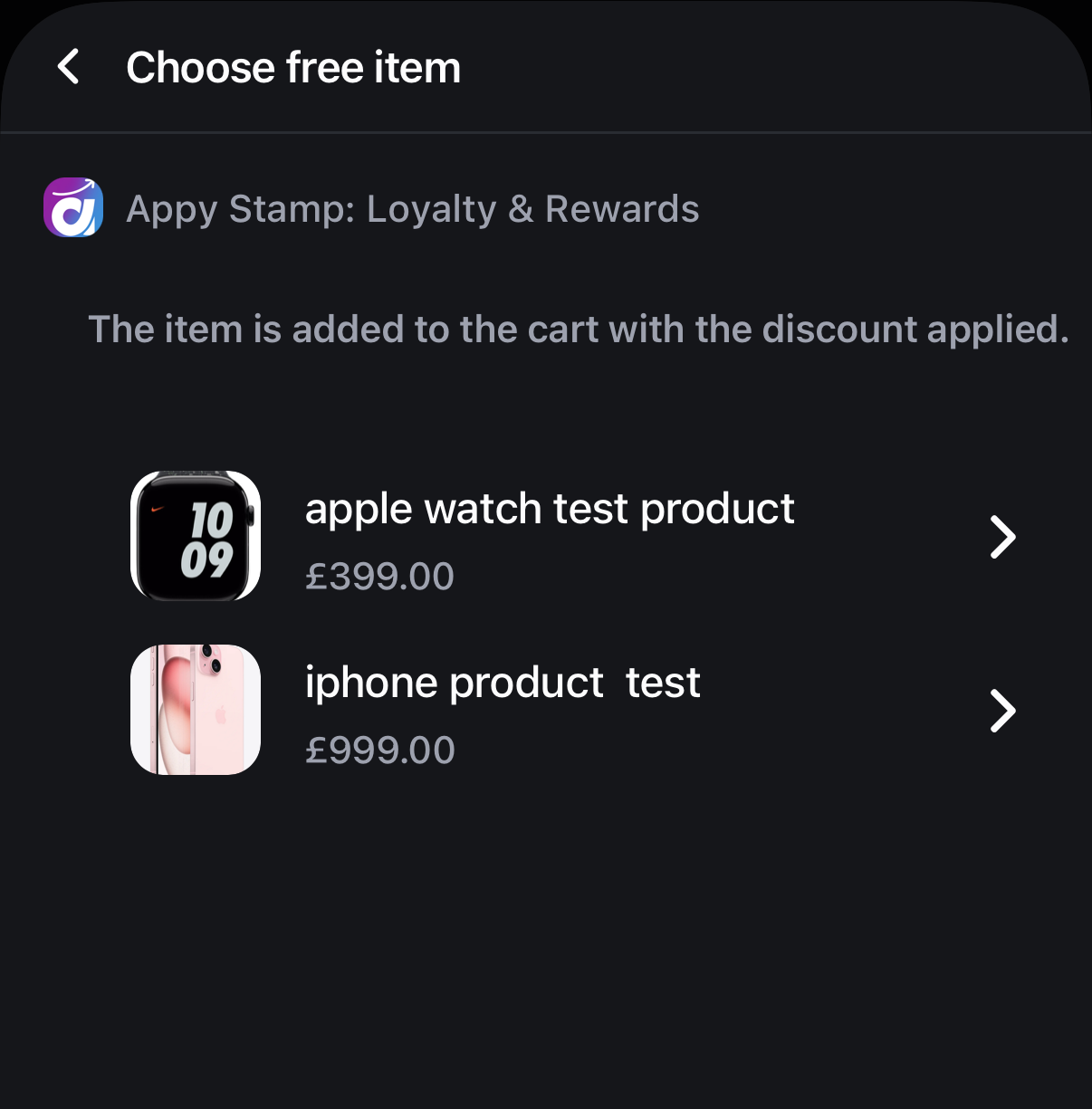
The tile will then display the products within that collection, allowing your staff to choose which product to give as the free reward.
-
The selected product is then added to the customer's order and a discount is generated and makes the order free.
-
Bonus: if the customer changes their mind - the discount code will remain unused for them to take advantage of next time.
How to Set Up a POS Free Product Reward
-
Go to your Appy Stamp dashboard and navigate to Program Settings > Rewards.
-
Click Add Reward and select POS Free Product Reward.
-
Under product selection, you can:
-
Choose set of specific products that can a free reward, or
-
Select a product collections from which the staff can choose the free product at POS.
-
-
Set the number of cards or stamps needed to redeem the reward.
-
Configure any redemption rules such as expiry, customer targeting and discount combinations.
-
Save the reward.
Using the POS Free Product Reward in Store
-
During checkout on your POS system, staff open the Appy Stamp tile.
-
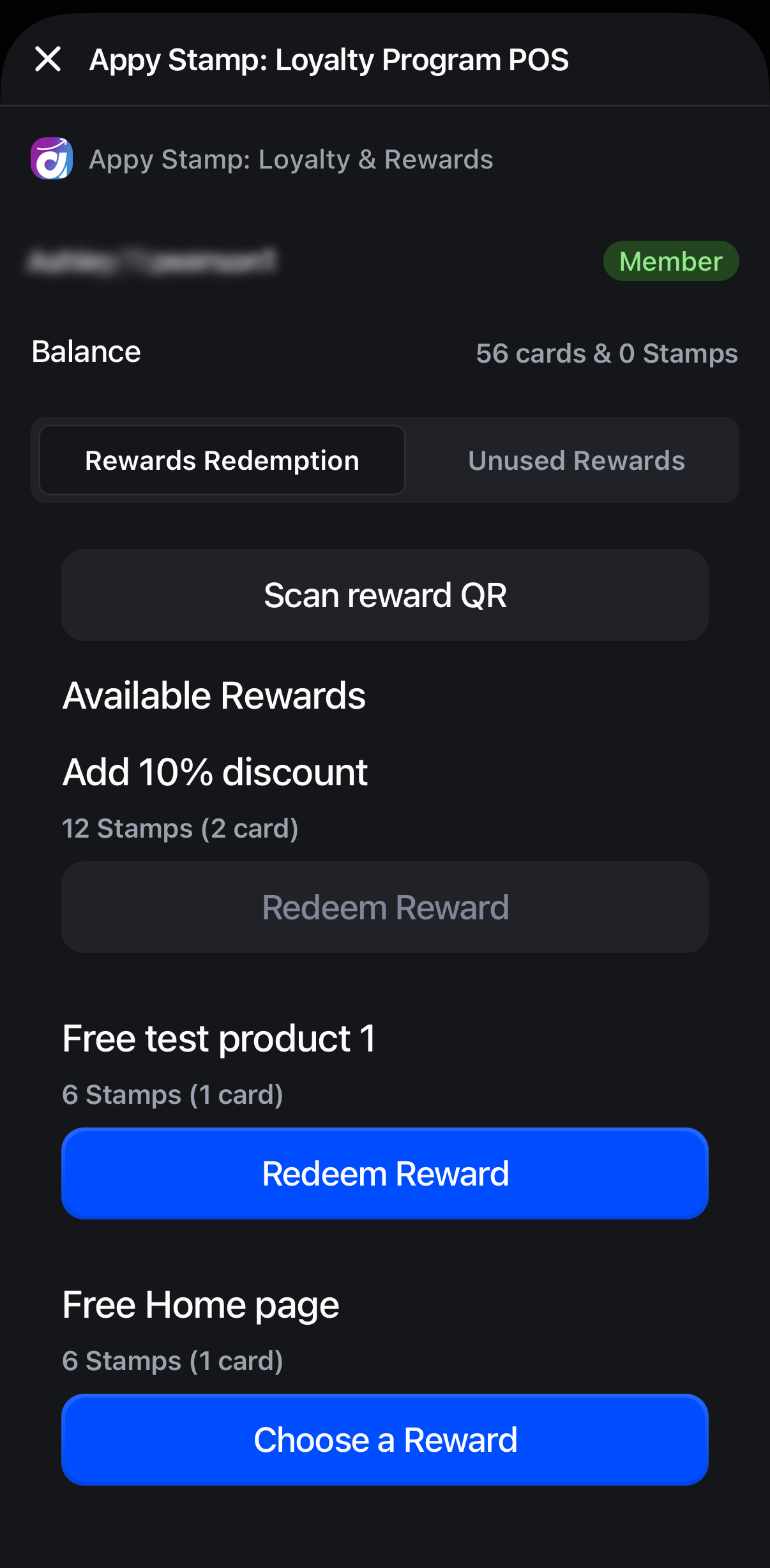
The tile will show available free product rewards the customer qualifies for.
-
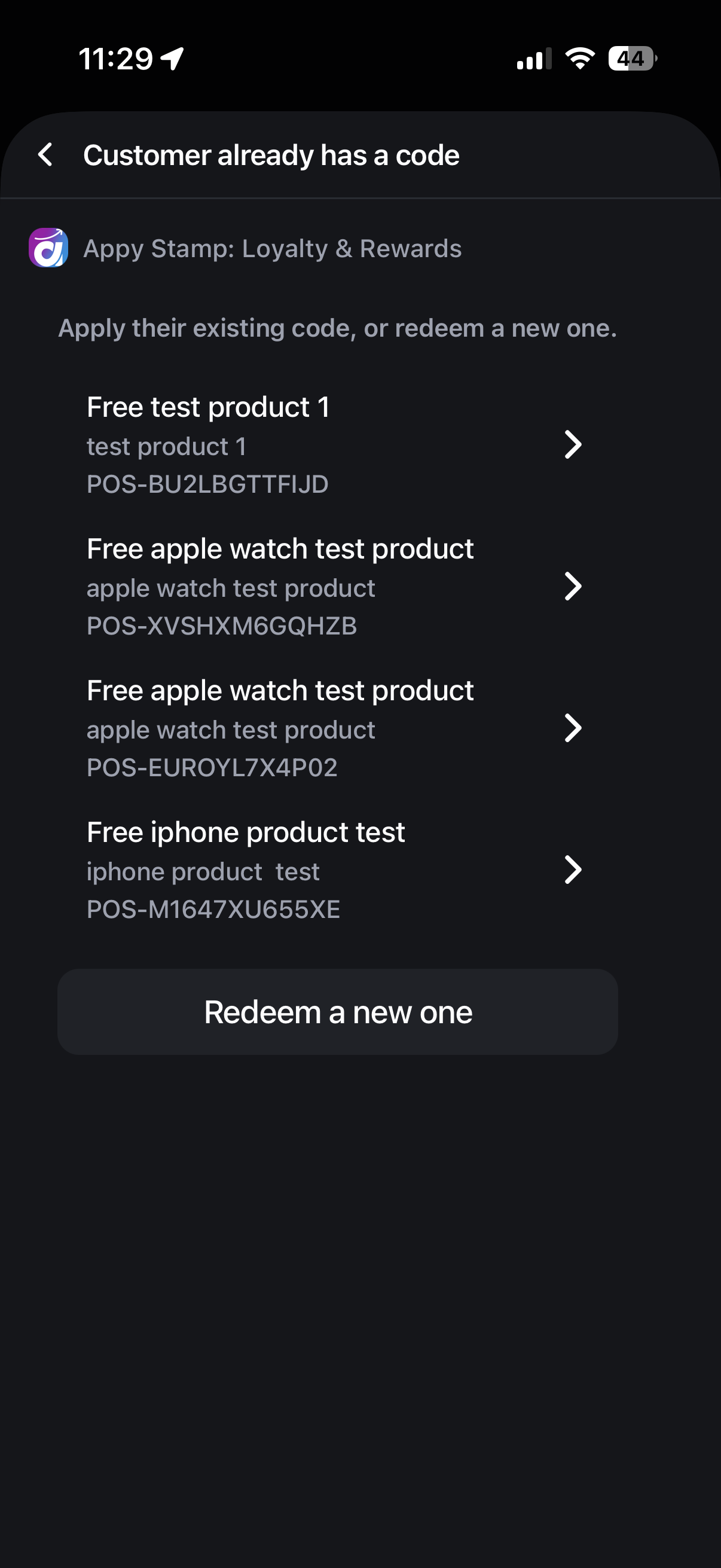
Staff select the reward and it will open the available products that can be chosen. If a product was redeemed previously but was unused, the first screen will show any unused free product rewards the customer has.
-
Staff can then either select from a previous free product reward or redeem a new one. If a new one is redeemed it will open to the free product selection.
Staff choose the product to add as the free reward to the order.
The tile adds the product to cart, redeems the reward and adds the discount code to the order, adjusting the total accordingly.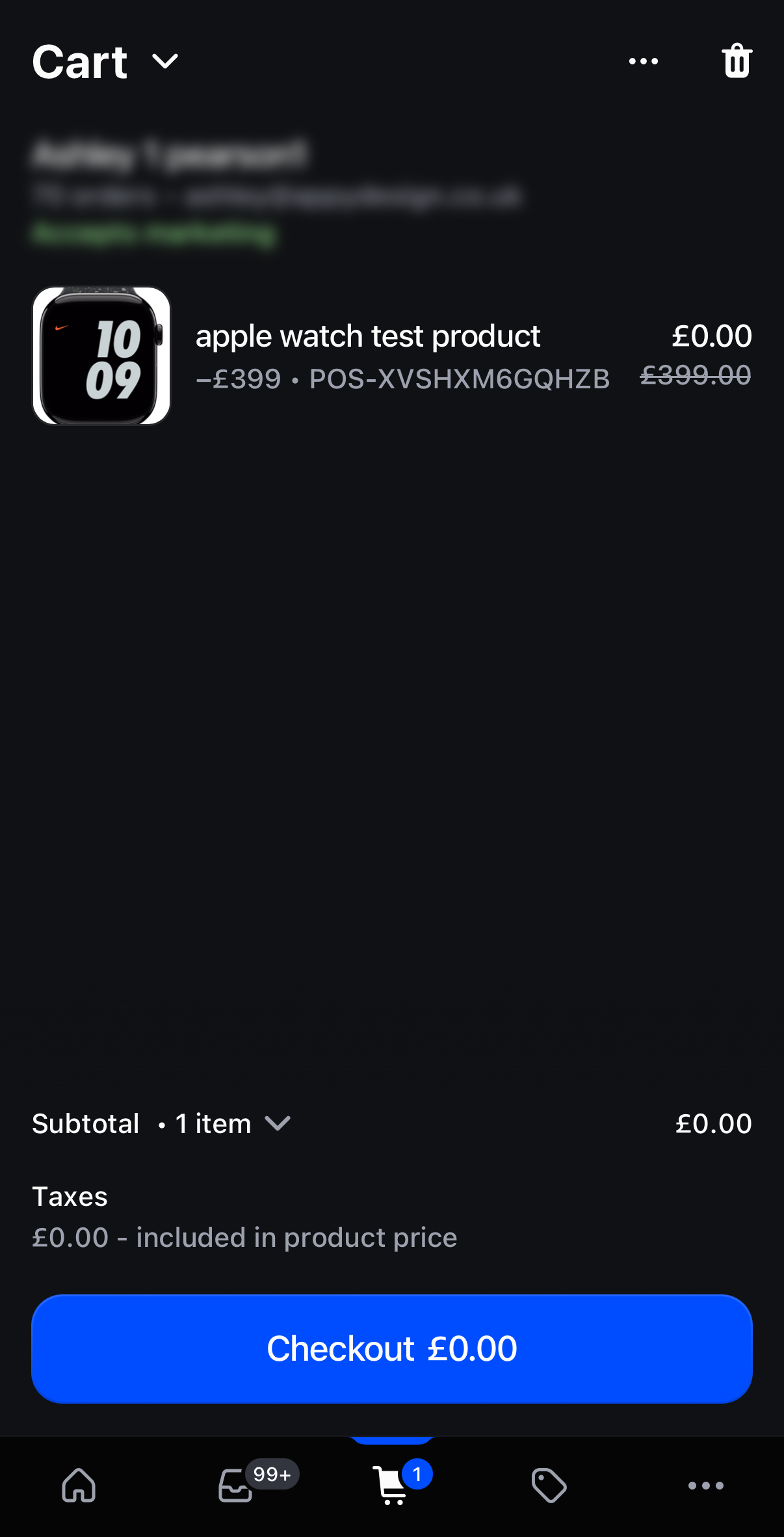
Tips for Success
-
Use collections to offer customers choice and flexibility in their rewards. Can be useful for places like coffee shops etc which might have a lot of different drinks they want to offer as the free product.
-
Train staff to use the POS tile effectively for smooth checkout experiences.
-
Promote in-store rewards to encourage repeat visits and loyalty.