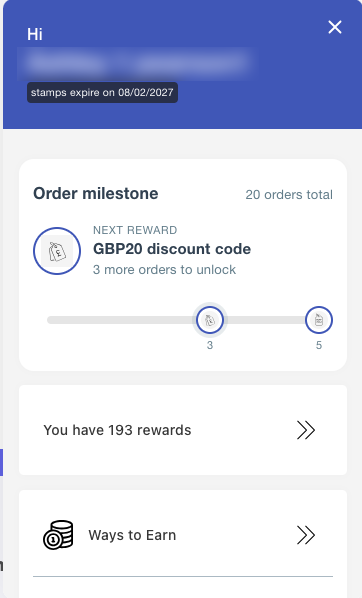
An order milestone is a specific order-related activity that allows you to set up rewards they can earn once they reach a certain number of orders. It allows you to reward customers for hitting each order milestone, encouraging repeat purchases and loyalty.
How Does Order Milestone Work?
-
Customers progress through the milestones by placing orders.
-
When a customer reaches a predefined number of orders the reward auto redeems.
How to Set Up Order Milestone Rewards
Fixed and Percentage rewards
-
Go to stamp program.
-
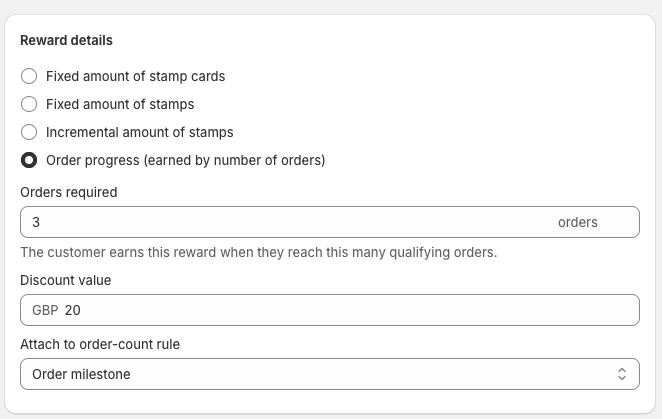
In ways to redeem, click Add Reward and choose either, fixed amount discount or percentage off discount.
-
Select order progress.
-
Type in how many orders for the reward to be redeemed once the customer has reached that number of orders.
-
Attach to order-count rule select: order milestone is selected.
-
Click save.
If done correctly it should appear like this.

Free product reward.
How to set up
-
Go to Stamp program.
-
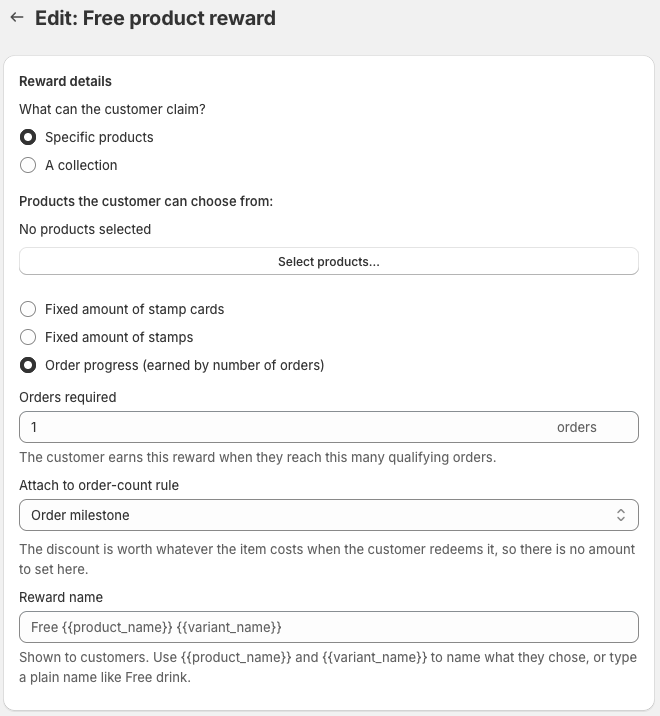
In ways to redeem, click ad Reward and choose Free product reward.
Reward details
-
Select specific products.
-
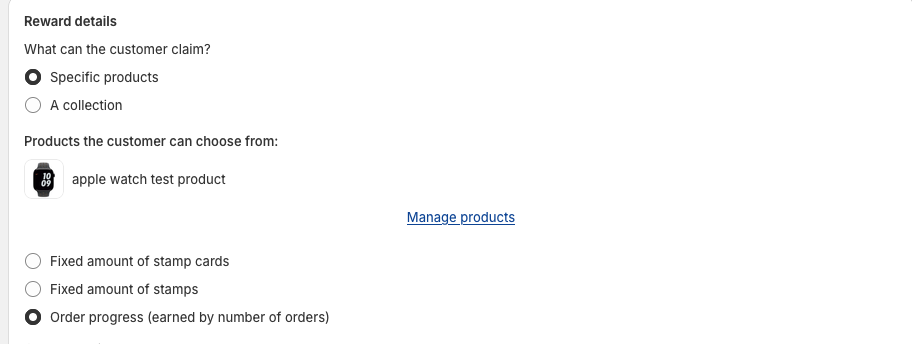
Click on select product and select the product you wish to give as a free reward.
-
Select order progress.
-
Type in how many orders for the reward to be redeemed once the customer has reached that number of orders.
-
Make sure order milestone is selected in attach to order-count rule.
-
Click save.
-
If done correctly it should appear like this

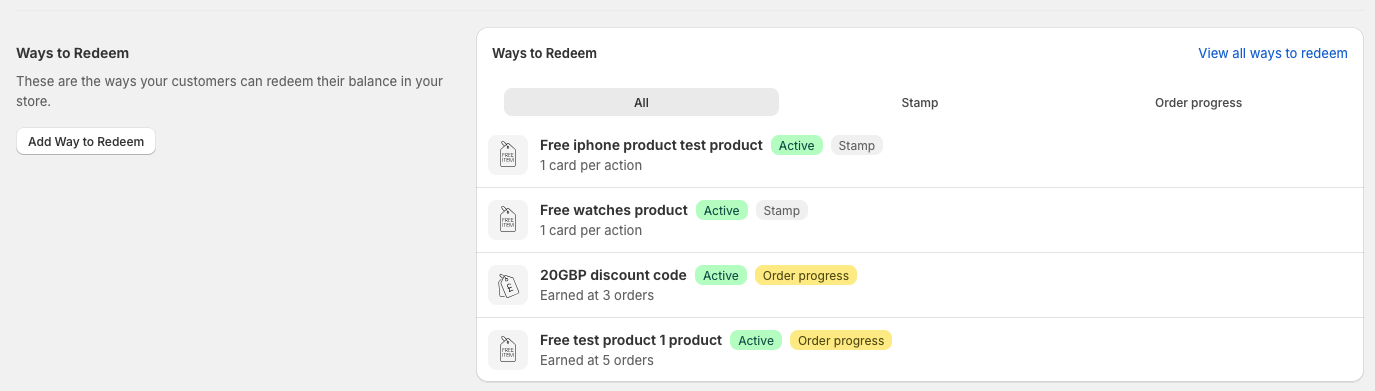
Ways to redeem overview
In the ways to redeem section the rewards there are 3 tabs. You can filter between viewing all/ stamp/ order progress based rewards.
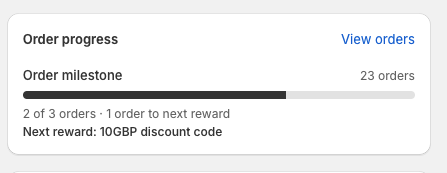
Customer Order Milestone History Overview
In the customer details page, you will see the Order Progress module on the left-hand side. This provides an overview of the customer's current order milestone progress.
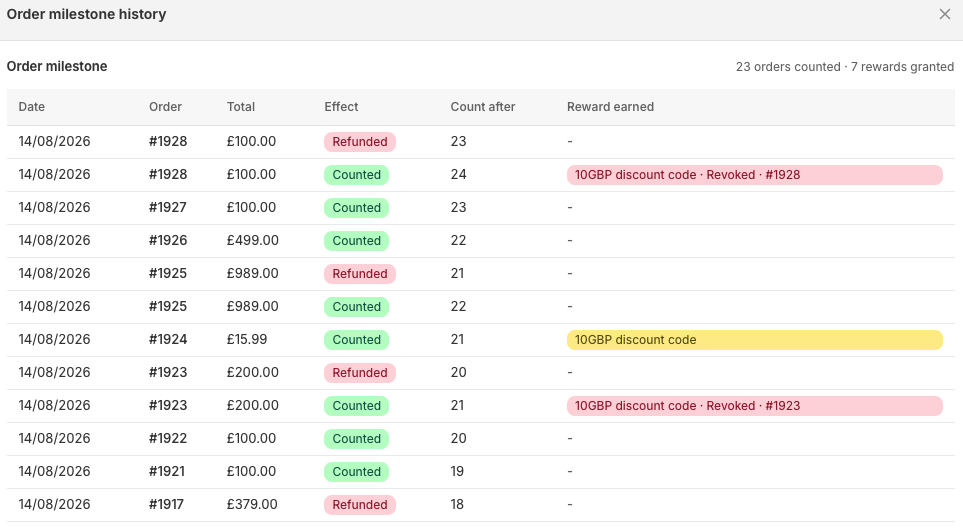
Click View Orders to open a pop-up window displaying the customer's complete order milestone history. This allows you to see their previous milestones and track their progress.
Order milestone order cancellation
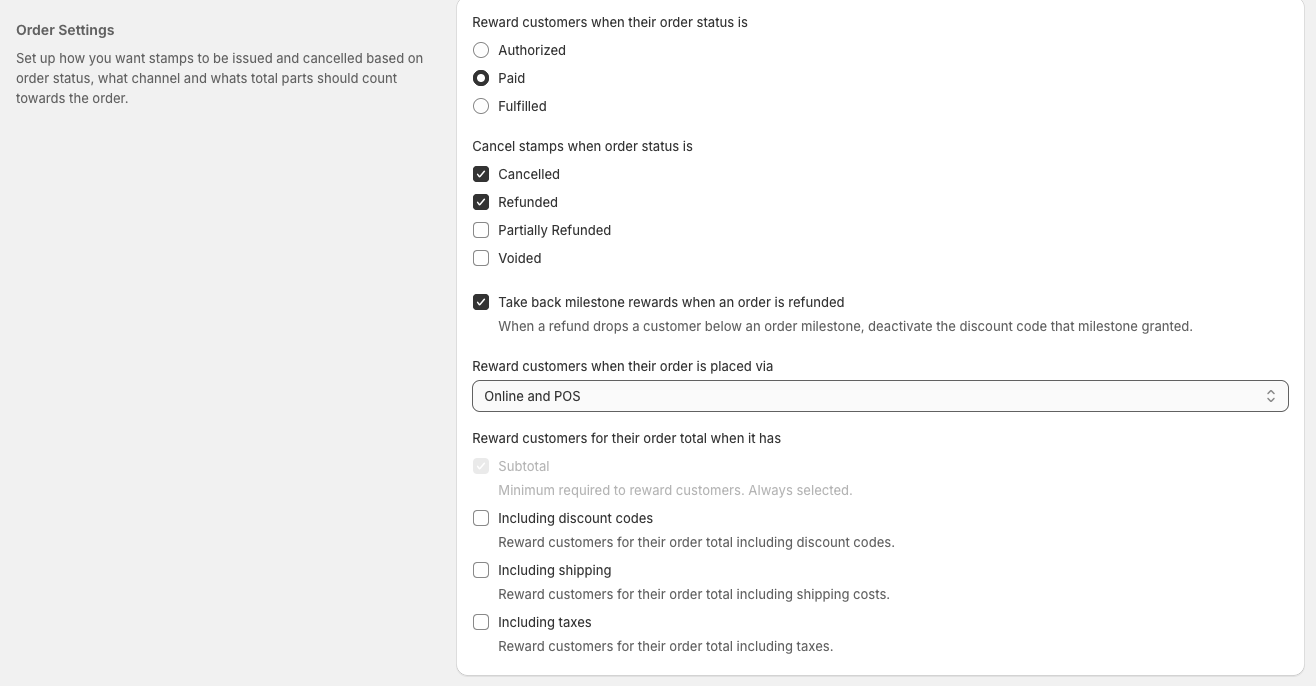
In Order Settings, you can configure your Order Milestone to revoke milestone rewards if an order is refunded. If a refund causes a customer's completed order count to fall below a milestone, the reward associated with that milestone will be cancelled and the discount code will no longer be valid.
This is enabled by default. If you want your customers to keep their rewards even if their order is refunded, disable this setting by unchecking the box.
Order milestone only program set up
If you want your loyalty program to only work based on order mile stones. you can configure your rewards and widget to reflect this.
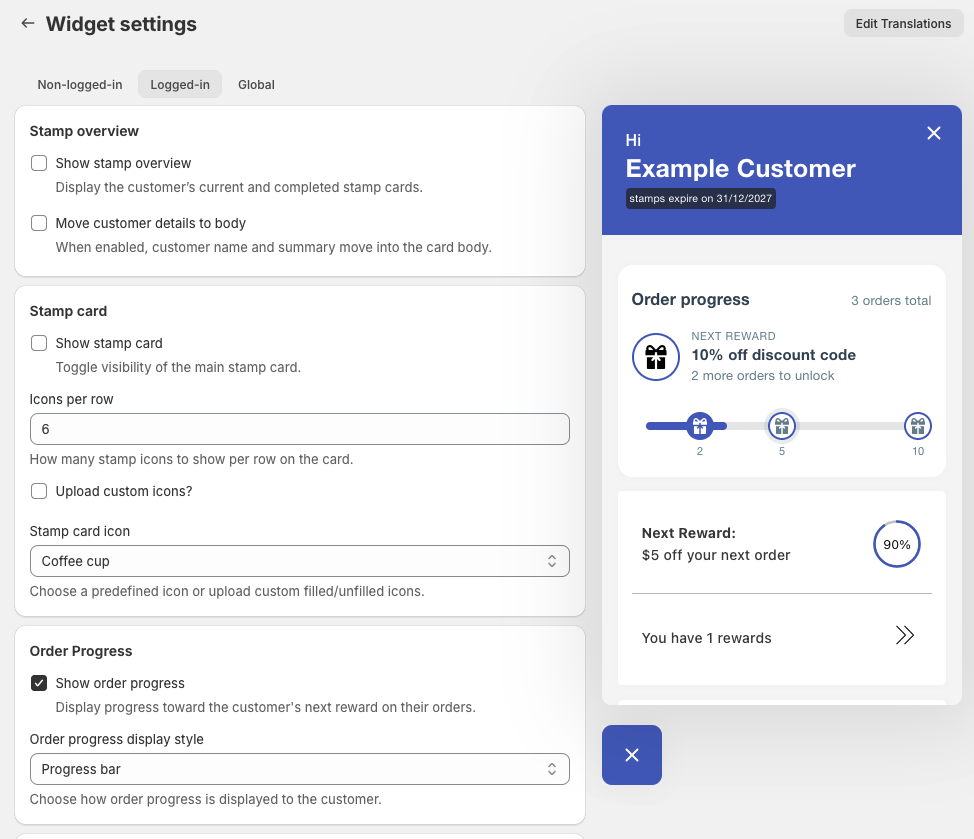
how to set up the widget to display only order milestones
-
Go to on-site content > Widget
-
Logged-in
-
Uncheck stamp overview
-
Uncheck stamp card
-
Check order progress
-
The widget should look something like this