This guide will help show you how to set up your VIP rewards and perks so when your customer enters a certain tier they'll be rewarded
Rewards
Rewards will be given to customers once they enter the tier. They can only be rewarded once per customer per reward cycle
To add a reward specifically to the VIP tier,
- Click on add Reward

- Choose from the pop up module the reward you wish to give
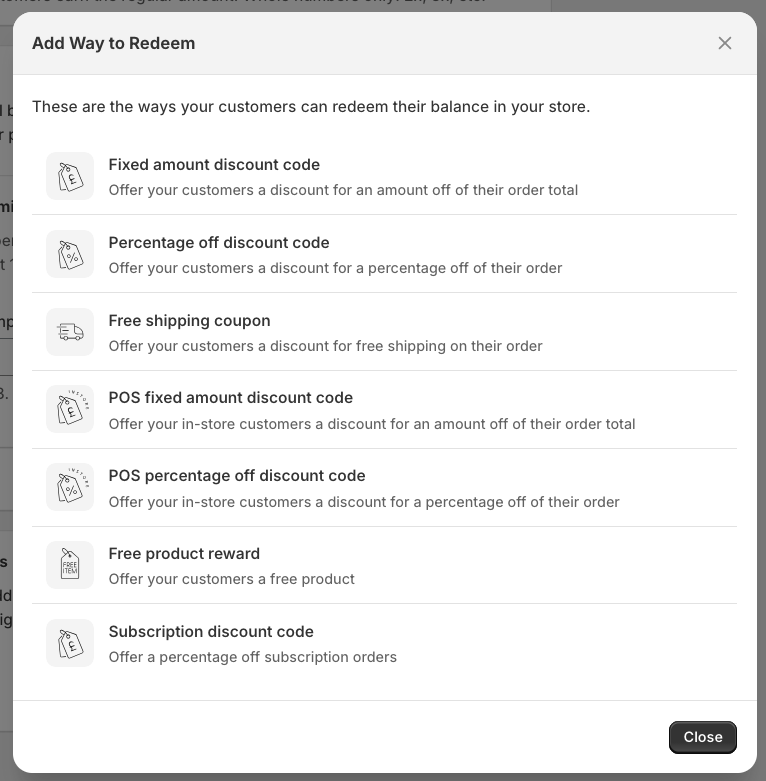
-
It will take you to the reward settings
-
Simply set up the reward, Click save
To learn more about setting up your rewards click here
Click the back arrow to go back to the tiers setting. If done correctly the reward should appear in the rewards section like so

Adding additional perks or benefits
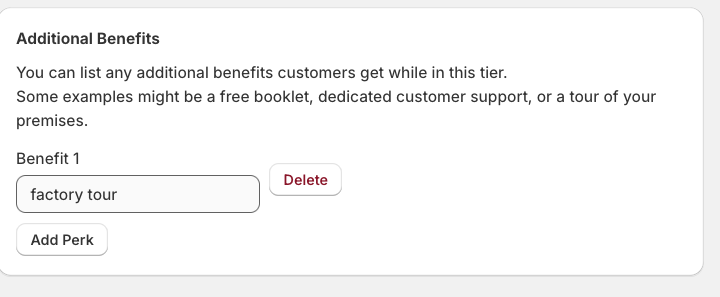
If you also want to add some other benefit that is not directly tied into the app, you can add it in the Additional benefits section. This is a great way to showcase other rewards that might be external, like a VIP tour of your shop, a free taster session if you run a craft business etc.
Notifications
You can set up notifications so that the customer receives an email when they have entered a new tier
To learn how to set this up click here