Shopify Discount Combinations
You can offer customers greater flexibility at checkout by enabling discount combinations. This guide explains how to allow shoppers to stack Reward discount codes with other Rewards. It also outlines which rewards cannot be combined and walks you through creating combination rules.
How discount combinations work
Discount combinations allow customers to use more than one discount code at checkout. They can combine Appy Stamp rewards with other Shopify discounts.
Each discount you create has one of the following classes, depending on what the discount applies to:
-
Product discounts: Apply to specific items or collections
-
Order discounts: Apply to the cart subtotal
-
Shipping discounts: Modify shipping costs
Below is a chart showing the different combinations that can be applied.
Combination Scenarios
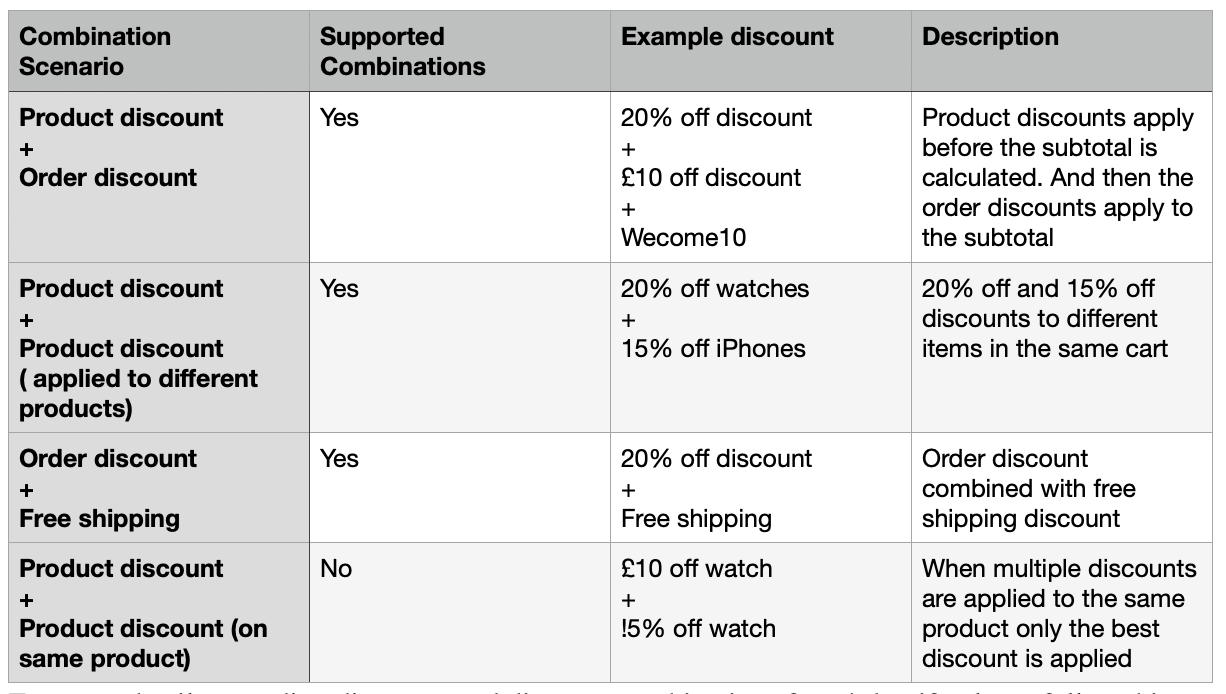
For more details regarding discounts and discount combinations from Shopify, please follow this link:
https://help.shopify.com/en/manual/discounts/discount-combinations
Limitations
There are some limitations due to platform restrictions. The following cannot be used with discount combinations:
- POS rewards: Discount combinations aren’t currently supported on Shopify POS.
Set up discount combinations
To set up discount combinations:
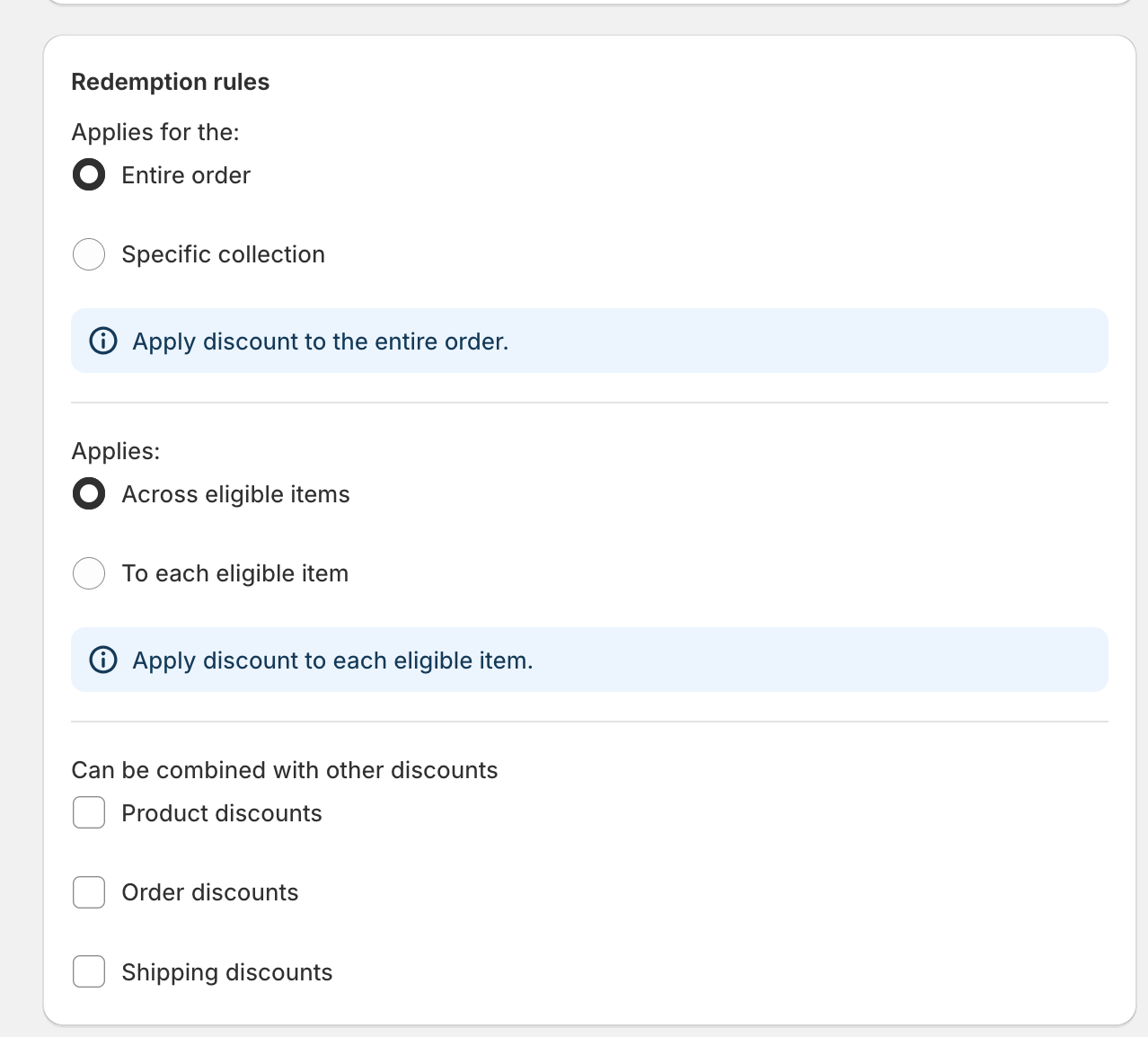
-
In the Appy Stamp admin, go to Stamp Program.
-
Choose an existing Way to Redeem.
-
In the Redemption Rules section, select which discounts you want this reward to combine with.
-
Choose from:
-
Product discounts
-
Order discounts
-
Shipping discounts
-
-
Click Save.
Remember: For discounts to be combined, each discount must allow combinations. Make sure both rewards are set to combine with each other. For example, £10 off watches must have the same combination settings as 10% off orders.