The Place an Order activity encourages repeat purchases by rewarding customers with stamps whenever they place an eligible order in your store, whether online or through your POS.
This is the default reward when using Appy Stamp and this should be added by default when completing the Onboarding process. You can use this to edit how the reward works, or to re-add it if you have deleted it.
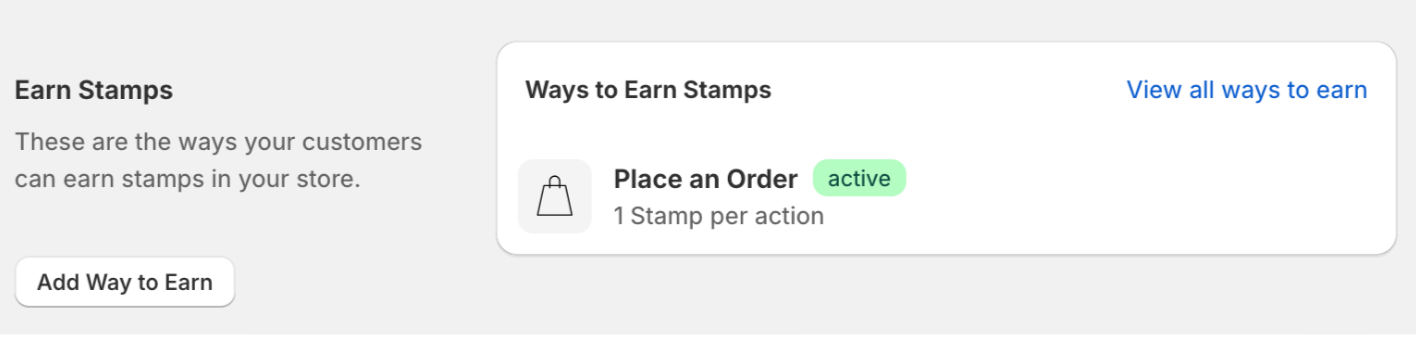
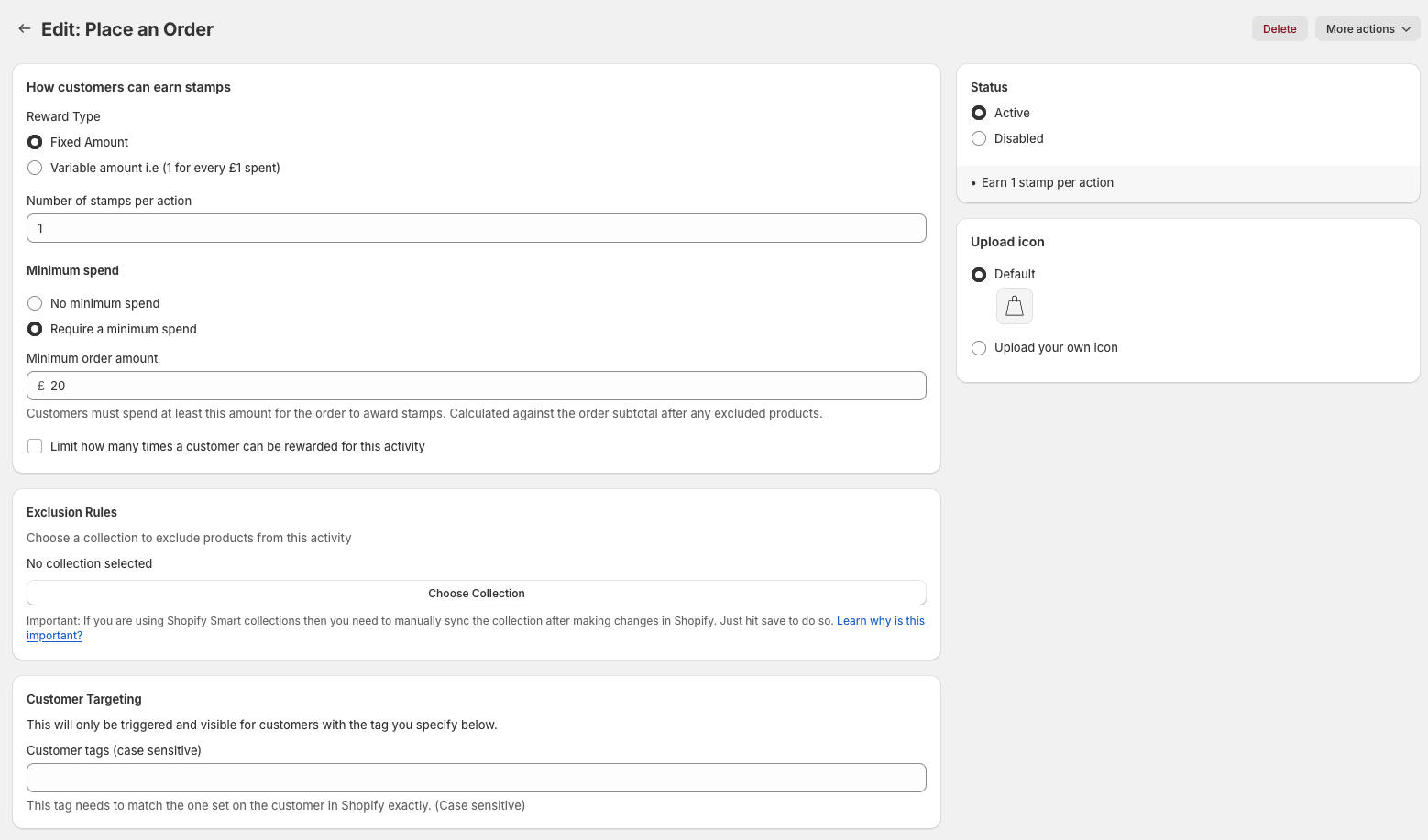
There are two main options for you to pick from when rewarding customers for placing an order. Under Reward Type, you can choose either Fixed Amount of Stamps or Incremental Amount of Stamps.
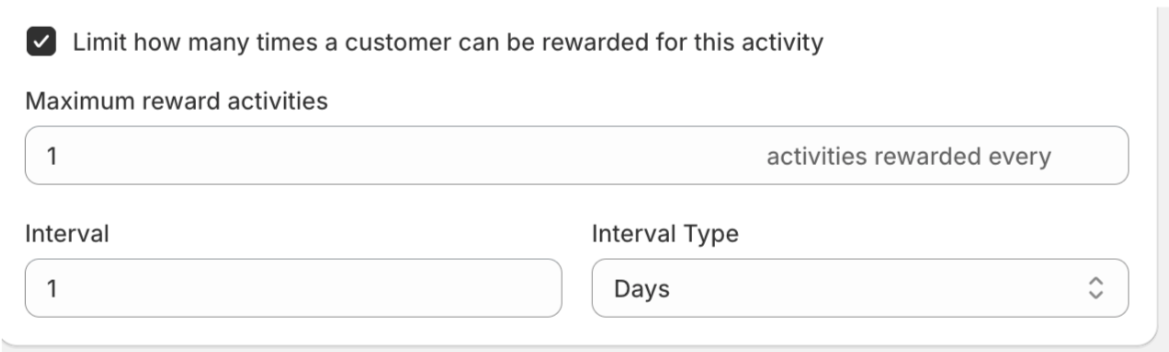
There is also an option to limit how many times a customer can reward for this activity.
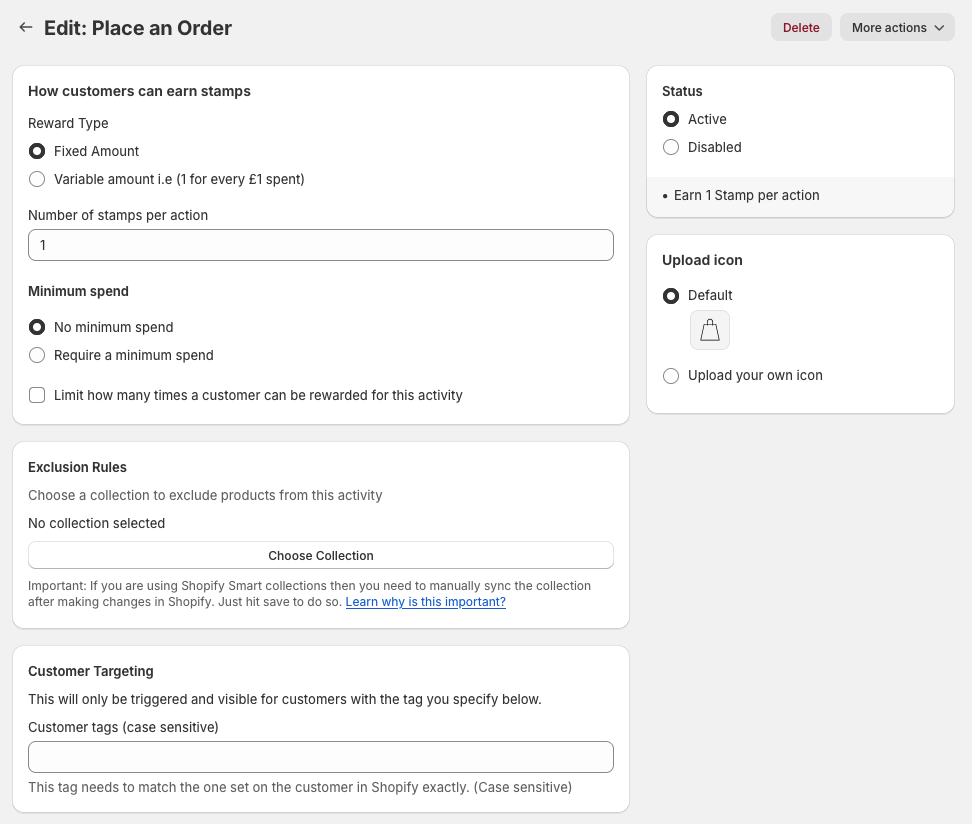
Fixed Amount of Stamps: Our recommended option will give your customers a fixed amount of stamps for each order they place, and you can select your preferred number here under Earning Value.
The Status panel on the right of the page shows whether this reward is active or disabled, and underneath confirms the setup you have selected on the left.
The custom ucon panel allows you to upload a custom image that will show in the Widget that your customers will see in relation to the Place an Order reward. You can use our provided default icon here, or upload your own. Our recommended image size is 90 x 90 pixels, and you can upload in the JPEG, PNG and SVG formats.
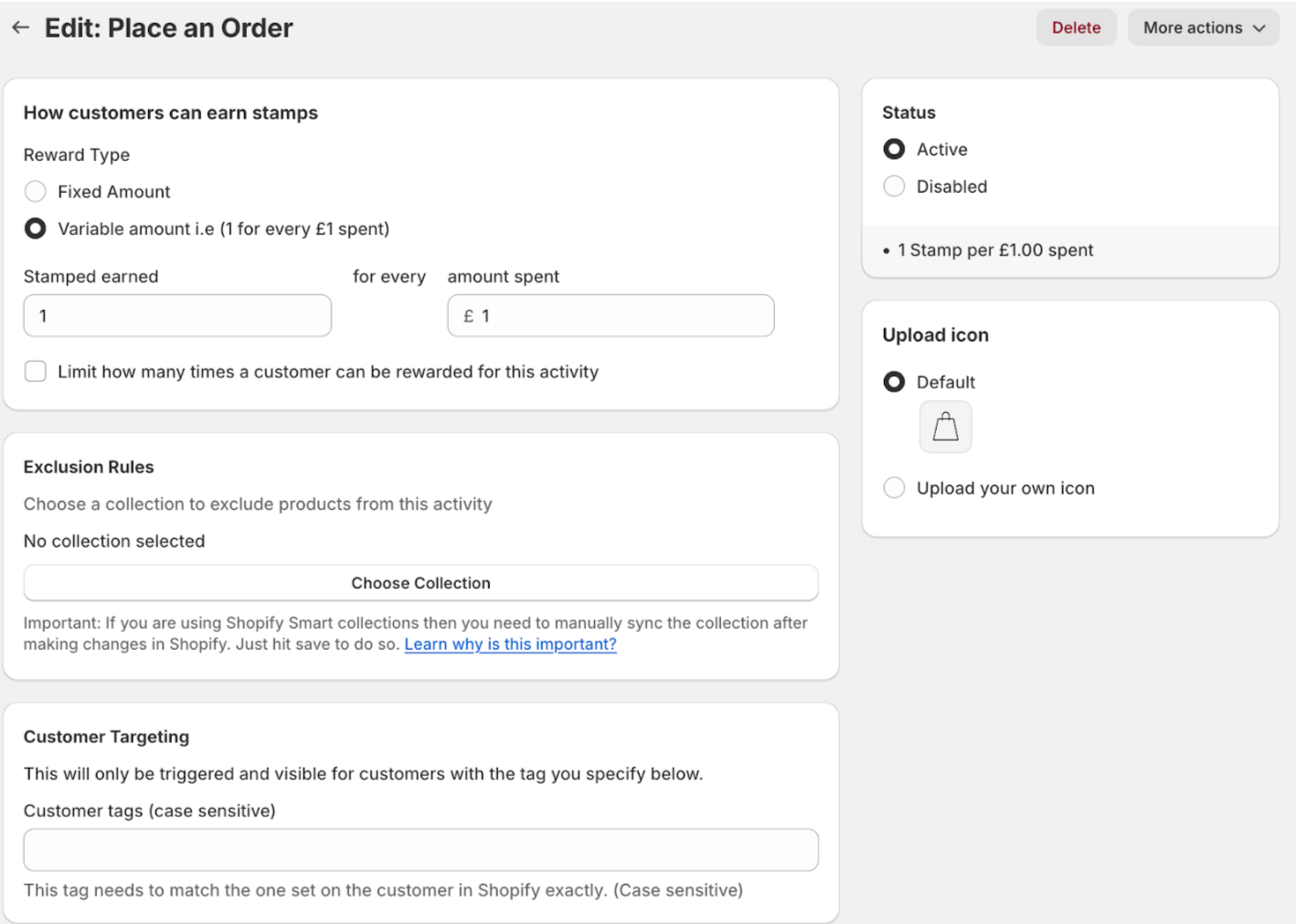
Incremental Amount of Stamps: If you’d like to reward your customers based on the amount they spend, choose this option to determine how many stamps they earn against your chosen currency value.
Limit how many stamps are allowed: This is where you can limit how many times the Place an Order activity can be used within certain periods of time. Click the button and additional options will appear. You can choose how many times a customer can purchase the product and receive a stamp, as well as how long the limit lasts—whether it’s for a lifetime, a month, or a number of days.
Minimum spend
This is where you can set a minimum order amount so that customers must spend a certain amount to receive order stamps.
Note: If a customer’s order meets the minimum spend threshold and they later request a partial refund, and the order total after the refund falls below the minimum spend requirement, any stamps that were awarded will be removed.
Exclusion rules
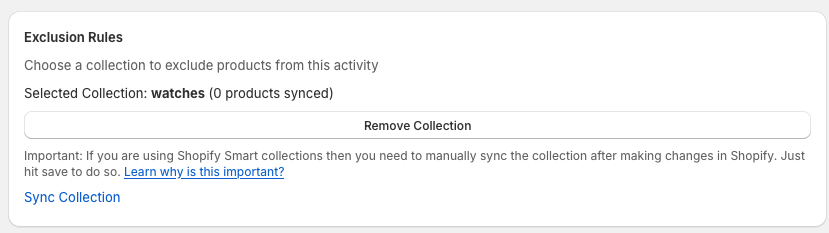
This is a way you can add products/collections that you want to be excluded from gaining stamps whilst placing an order. You simply click choose collection and a modal pops up from where you can select a Product/collection to be excluded.
For more detail on exclusion rules please click here
Important: If you are using Shopify Smart collections then you need to manually sync the collection after making changes in Shopify. Just hit save to do so. Learn why is this important?
Customer targeting
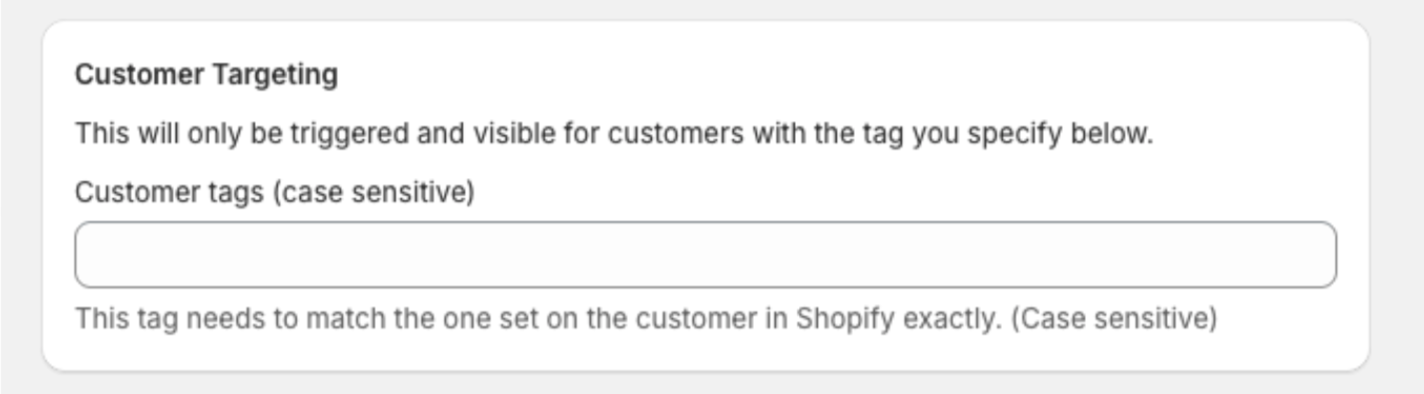
This is where you can set up your targeting feature. so customers with certain tags will only have access to this bonus stamp reward. To learn more about customer targeting tags click here
Once you have set up click save and you are all set.